JPG Meaning
A JPG, or JPEG ( Joint Photographic Experts Group ), is a widely-used image file format known for its efficient compression capabilities. It allows for significant reduction in file size without compr
More about JPG
The JPG format was introduced in 1992 by the Joint Photographic Experts Group. The primary goal was to create a standard for photographic image compression that would make it easier to share and store high-quality images without requiring large amounts of storage space.
Over the years, JPG has become the most commonly used image format, supported by virtually all digital cameras, image editing software, and social media platforms.
JPG compression works by analyzing the image and simplifying parts of it that are less likely to be noticed by the human eye. In essence, it reduces the image's complexity in areas where details are less critical. This process, known as lossy compression, results in smaller file sizes. Users can adjust the compression level to balance image quality and file size according to their needs.
JPG files are incredibly versatile and are used in various contexts, including:
- Photography: Most digital cameras and smartphones save images in JPG format by default due to its balance of image quality and file size.
- Social Media: Social media platforms like Instagram, Facebook, and X (previously Twitter) support JPG images for profile pictures, posts, and advertisements. Alt text can be added to these images to improve accessibility.
- Web Design: Websites often use JPG images for banners, product photos, and other visual content because they load quickly and maintain good quality.
There are several benefits of using JPG including:
- Compatibility: JPG is universally supported across all devices and software, making it a go-to format for sharing images.
- Compression: The ability to adjust the compression level allows users to minimize file size while maintaining acceptable quality.
- Color Support: JPG files support 24-bit color, which can display up to 16 million colors, resulting in vibrant and detailed images.
- Ease of Use: JPG images can be easily edited, shared, and stored without requiring specialized software.
When comparing JPG with other formats, there are notable differences.
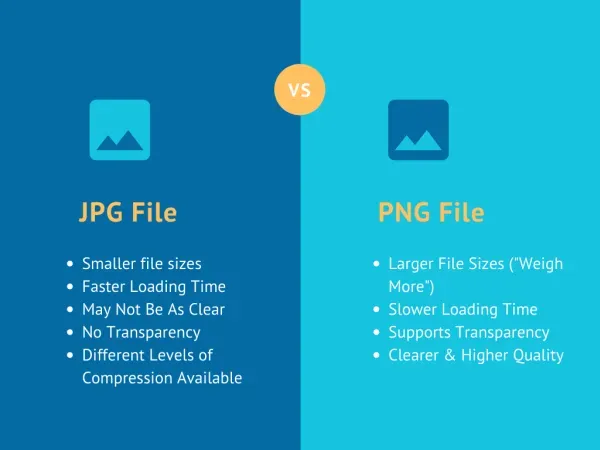
- JPG vs PNG: PNG is a lossless format, better suited for images requiring transparency and fine detail, like logos and graphics. JPG, with its lossy compression, is better for photographs and web images where file size is a concern.
- JPG vs GIF: GIFs are ideal for simple graphics and animations but have a limited color palette. JPGs support a wider range of colors, making them better for detailed photos.
Let’s check out the differences between JPG and PNG with an image comparison.