CutMagic - Auto Scene Change Detection
Stop wasting hours editing—use CutMagic to auto-detect scenes instantly. Cleaner videos, zero headaches.
Try CutMagic for Free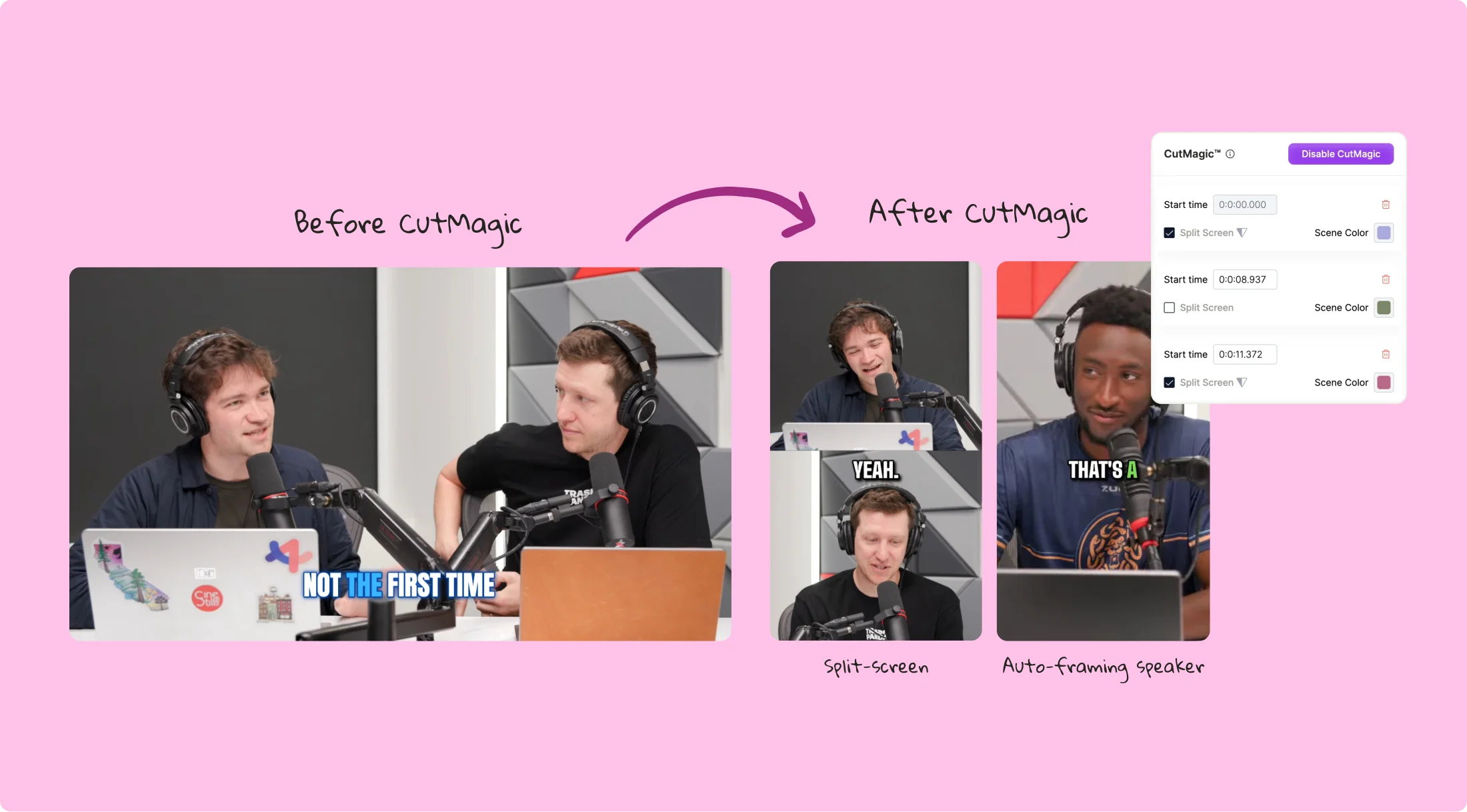
Identify different scenes and transitions with CutMagic

Framing Made Easy
Save time and effort with CutMagic's automatic scene change detection, which intuitively marks scene transitions and allows you to easily adjust or remove them. This feature streamlines your video editing workflow, making it simpler to identify where scenes change and how they flow together. By automating the detection of these changes, CutMagic enables you to focus more on creative aspects like storytelling and less on manual editing tasks.

Automated Multicam Editing
Seamlessly edit multicam videos with CutMagic's AI-driven scene detection. It automatically identifies different camera angles, making it a breeze to switch between perspectives. Whether you're editing interviews or live events, CutMagic's automatic detection ensures smooth transitions between camera angles, saving you time and effort.

Track and Customize Transitions
Enhance your video's flow by tracking and customizing transitions effortlessly. CutMagic's intelligent detection enables you to modify cuts and transitions with precision, ensuring your video flows seamlessly from one scene to the next. This feature allows you to create polished videos that captivate your audience with smooth, professional transitions.
Streamline your video editing experience with CutMagic
Save 2X Time
Boost your editing speed with CutMagic's automatic scene detection, saving you valuable time. Focus more on creativity and less on manual editing tasks. By automating the detection of scene changes, CutMagic enables you to edit videos more efficiently, allowing you to produce content faster and meet deadlines more easily. Note that CutMagic works best for clips under 3 minutes.
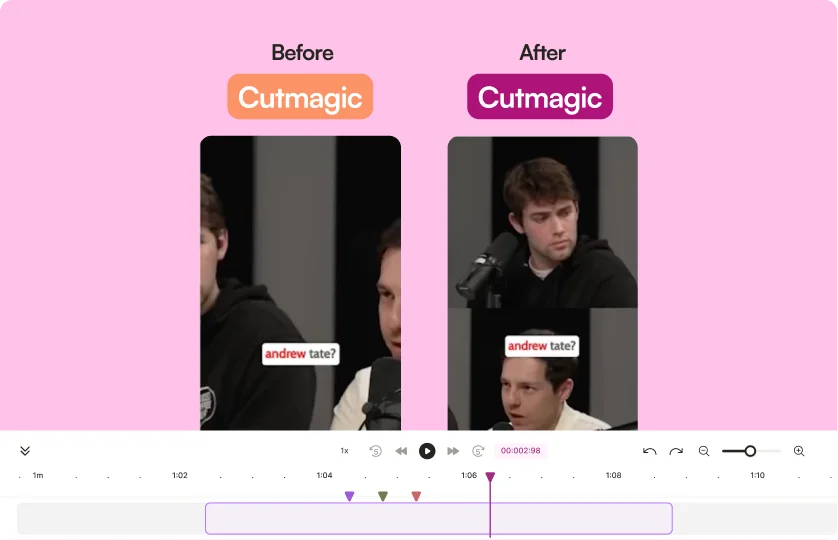
Effortless Scene Detection
Discover how easy it is to detect and adjust scene changes with CutMagic. Enjoy a smoother editing process with intelligent scene markers that make it simple to find and manage transitions. CutMagic's scene detection feature ensures that you can easily identify and manage scene changes, allowing for smoother and more professional video editing.

Streamline Your Editing Experience
CutMagic transforms complex video editing into a simple, intuitive process. Detect and manage scene changes effortlessly to create professional-quality videos. With CutMagic, you can streamline your editing workflow, making it easier to produce high-quality videos that engage your audience. Edit webinar recordings to highlight key moments and insights with ease.

Frequently Asked Questions
What is CutMagic?+
How does CutMagic work?+
What are the benefits of using CutMagic?+
How do I enable CutMagic in my quso.ai account?+
Can CutMagic handle multicam video editing?+
CutMagic - Auto Scene Change Detection
Try CutMagic for Freequso.ai Research
The Short Form Video Performance Report
We measured 508,000 posts from 1,900 creators across 80 countries to separate what actually changes reach from what only sounds like it does.