What Is Google Business Profile?
Google Business Profile is a free tool that lets businesses create a listing on Google Search and Maps . It displays key details like your business name, address, phone number, and reviews, helping po
More about it:
Let’s dive into why Google Business Profile is such a great tool. When you set up a Google Business Profile, you provide essential information about your business, including your name, address, phone number, hours of operation, photos, and customer reviews. This listing helps you shine in local searches and on Google Maps, making it simpler for people nearby to discover your business.
Fun fact: You can also use your profile to post updates, promotions, and events in real time. This means you can keep your customers engaged and informed about what’s happening with your business. Plus, Google Business Profile comes with built-in analytics.
Did you know you can track how many people find your business, where they’re coming from, and what they do once they find you? This valuable insight helps you fine-tune your online strategy.
For small businesses and startups, Google Business Profile is a real game-changer. It’s an affordable way to reach a large audience because it’s completely free! You don’t have to spend a fortune on advertising to make your business visible. Plus, since Google is one of the most popular search engines, being featured on it means you’re getting in front of a vast and diverse audience.
Let’s check out some examples of Google Business Profiles!
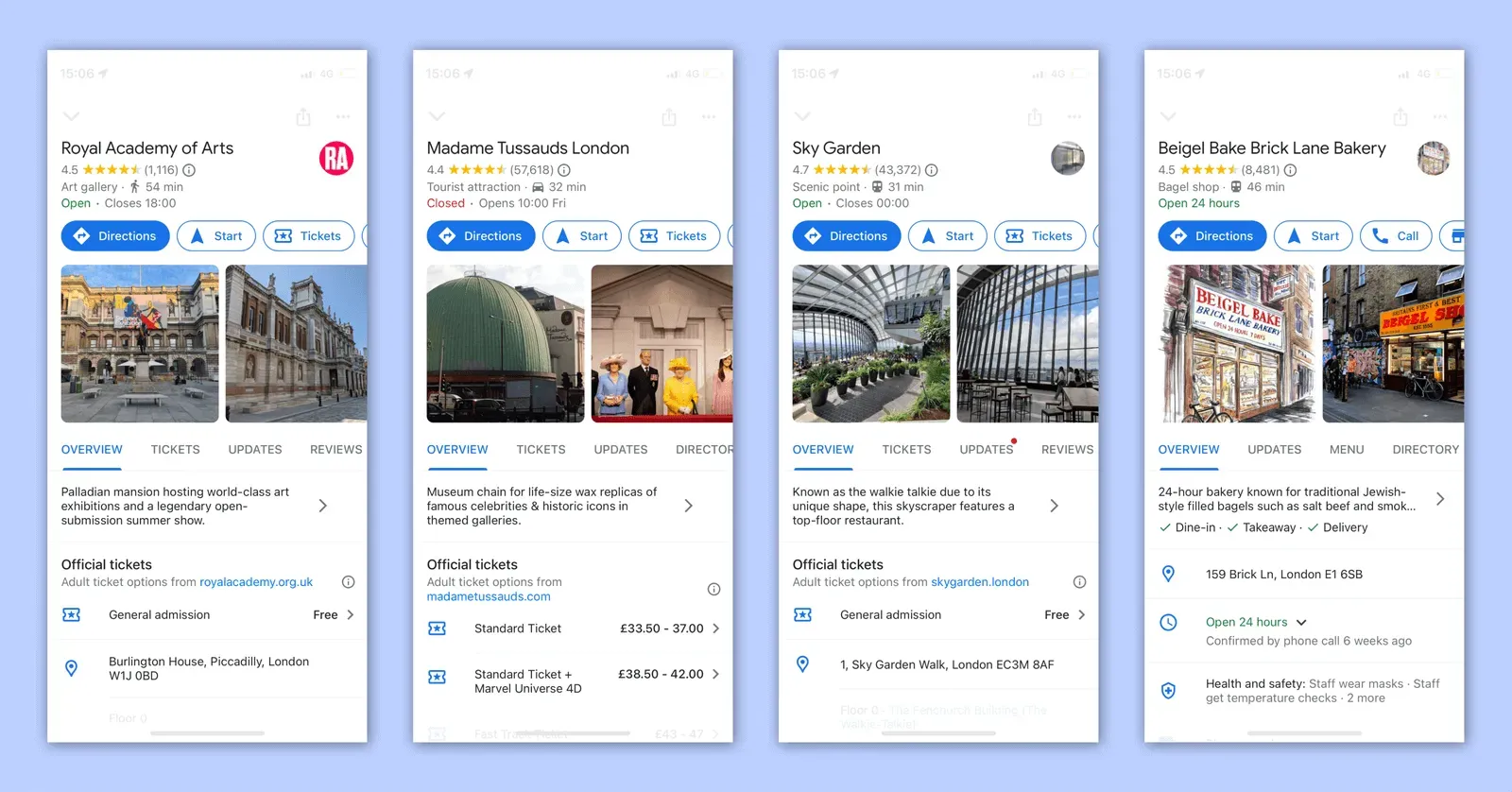
Let’s explore why you should have a Google Business Profile-
Creating a Google Business Profile is essential for boosting your online presence. Here’s why:
- Easy Management: It’s a simple way to manage your business’s online presence.
- Stay Updated: Keep your information current and post updates directly on your profile.
- Boost Visibility: Increase your chances of appearing in local search results and on Google Maps.
- Build Credibility: Add reviews, location details, and your website to build trust with potential customers.
- Engage with Customers: Respond to reviews, answer questions, and interact with your audience.
- Get Insights: Access valuable data on how people find and engage with your business.
Let’s check out how you can create your Google Business Profile:
- Sign in to your Google Account or create one for free.
- Go to the Google Business Profile setup page.
- Enter your business name, address, phone number, and website URL.
- Verify that you are the rightful owner of the business.
Here are some essentials to include in your Google Business Profile:
- Your business name
- A brief description
- Email address
- Physical address
- Phone number
- Website
- Opening hours
- Photos and videos
Bonus Tip: Be sure to check out our blog, Social Media Image Sizes Guide 2024: Dimensions & Tips! It’s filled with handy info to help you find the perfect image size for your Google Business Profile!
And there you have it! With Google Business Profile, you’re all set to enhance your online presence and attract more customers. So, let’s get started and make your business shine online!